Follow Us
-

English

English

In the digital world, links are everywhere—emails, social media posts, text messages, and marketing campaigns. But long, messy URLs often look suspicious and discourage people from clicking. If you want more clicks and better engagement, you need to know how to make a link shorter and easier to trust.
This guide walks you through proven methods, trusted tools, and best practices to create short, professional links that your audience will actually want to click.
Before diving into tools and strategies, let’s understand why link shortening is so powerful:
For marketers, entrepreneurs, and everyday users alike, a trustworthy link is the difference between being ignored and being clicked.
The first step in making a link shorter is choosing the right URL shortening tool. Some popular and reliable options include:
When you shorten your link with a reputable service, it instantly looks cleaner and more professional.
A generic shortened link (e.g., bit.ly/3AbC12x) may still look suspicious. To make a link easier to trust, customize the back half of the link.
For example:
❌ Unbranded: bit.ly/3x89jaK
✅ Branded: bit.ly/FreeGuide2025
Tips for customization:
This small step makes a huge difference in how your audience perceives your link.
Want to take trust to the next level? Use a branded domain. Instead of using a generic shortening service, you can connect your own domain.
For example:
❌ Generic: bit.ly/BestDeals
✅ Branded: deals.yourbrand.com/sale
Benefits of branded domains:
Branded short domains are especially powerful for businesses, influencers, and anyone running digital campaigns.
Even the cleanest link can look suspicious if it’s dropped randomly without explanation. To make your links trustworthy:
Trust comes not just from the link itself but also from how you share it.
A trustworthy link is a secure one. Make sure:
Pro tip: Some services like Bitly and Rebrandly allow you to add UTM parameters without affecting how clean the link looks. This gives you valuable tracking data without compromising trust.
One big advantage of using professional link shorteners is the ability to track performance. Analytics help you:
For marketers, this is a goldmine. A short, trusted link is not just about aesthetics—it’s about measurable results.
In today’s fast-paced online world, long, messy links can harm your credibility. By learning how to make a link shorter and easier to trust, you not only improve the way your links look but also build stronger trust with your audience.
Whether you’re sharing links for business, social media, or personal use, the formula is simple: shorten, customize, brand, and secure. With these steps, your audience will feel confident clicking your links—leading to higher engagement, better conversions, and stronger relationships.
In the digital world, every click matters. Whether you’re sharing links on social media, running a marketing campaign, or simply sending a webpage to a friend, long and messy URLs can look unprofessional and hard to manage. That’s where URL shorteners come in. But what is a URL shortener and how does it work? Let’s explore this powerful tool, its benefits, and why it has become a must-have for businesses and individuals alike.
A URL shortener is an online tool that takes a long web address and converts it into a shorter, cleaner link. For example:
Long URL: https://www.examplewebsite.com/blog/marketing/how-to-increase-social-media-engagement-2025
Shortened URL: https://short.ly/xyz123
The shortened link redirects users to the original page when clicked. This not only makes the link easier to share but also enhances user experience, branding, and tracking.
The process behind a URL shortener is simple yet highly effective. Here’s how it works step by step:
Input a Long URL – You paste your original long link into a URL shortener tool.
Generate a Short Link – The tool creates a unique, shorter link that points to the same destination.
Store in Database – The short link is stored in the tool’s database with a record of the original URL.
Redirection – When someone clicks the short link, the tool checks its database and instantly redirects the user to the long URL.
This redirection usually happens in milliseconds, so users never notice the behind-the-scenes process.
Short links are easier to share on social media platforms like Twitter, LinkedIn, and Instagram where space is limited.
Many URL shorteners allow you to create branded links (e.g., yourbrand.link/sale). This builds trust, reinforces brand identity, and increases click-through rates.
Long, complicated links look spammy. Short, neat links are more user-friendly and trustworthy.
Advanced URL shorteners provide insights into link performance, such as:
Number of clicks
Geographic location of users
Device type used
This data is invaluable for marketers running campaigns.
Shortened URLs are easier to include in brochures, posters, or business cards, where space is limited.
URL shorteners are not just for marketers—they’re useful in many scenarios:
Social Media Marketing – Sharing clean, clickable links with tracking.
Email Campaigns – Preventing long URLs from breaking in emails.
Influencers & Bloggers – Making affiliate or promotional links more appealing.
Business Presentations – Including short, professional links in slides.
Event Promotions – Sharing short links on flyers or banners.
There are many free tools like Bitly, TinyURL, and Rebrandly. Free versions often provide basic shortening and limited analytics.
Paid URL shorteners, on the other hand, offer:
Custom branded domains
Advanced analytics and tracking
Team collaboration features
API integration for businesses
If you’re a casual user, free tools are enough. But for businesses, investing in a premium URL shortener can significantly improve marketing performance.
One common concern is whether shortened links are safe. Since the destination is hidden, malicious users sometimes exploit them. However, reputable URL shorteners provide security features like:
Link previews before clicking
Spam and malware detection
Password-protected links
To stay safe, always use trusted shortener services and avoid clicking suspicious links.
A big question many marketers ask is whether shortened links impact SEO. The good news is they don’t harm SEO as long as they use a 301 permanent redirect. This ensures that search engines recognize the original destination URL and pass link equity properly.
In fact, using branded short links can indirectly boost SEO by increasing click-through rates and user trust.
Use Branded Links – Create custom domains for a professional look.
Track Performance – Monitor analytics to refine your campaigns.
Avoid Overuse – Don’t shorten every link unnecessarily; use it where it adds value.
Test Links – Always check your shortened link before sharing.
Stay Secure – Use reputable URL shorteners with security features.
So, what is a URL shortener and how does it work? In simple terms, it’s a tool that makes long links short, clean, and trackable. Beyond just shortening, it provides branding opportunities, analytics, and better user engagement.
Whether you’re a business, influencer, or just someone who shares links online, using a URL shortener can make your digital presence more professional and effective.
If you haven’t tried one yet, start with a free tool—and once you see the benefits, consider upgrading to a branded solution for maximum impact.
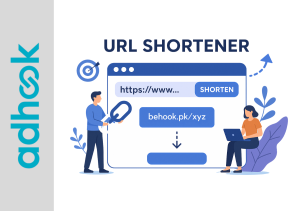
In today’s fast-paced digital world, sharing long and messy URLs can be frustrating. Whether you’re posting on social media, sending emails, or running a marketing campaign, short links make everything easier, cleaner, and more professional. If you’re wondering how to create a URL short link, you’ve come to the right place.
In this detailed guide, I’ll walk you through the process, explain the benefits, and share the best practices for creating and using short links effectively.
A URL short link is a condensed version of a long web address. Instead of pasting a 200-character link full of numbers, symbols, and parameters, you can generate a short, neat, and user-friendly URL.
For example:
https://www.examplewebsite.com/blog/article/how-to-create-a-url-short-link-guide-for-beginnershttps://bit.ly/shortlinkBoth links lead to the same page, but the short link is easier to remember and share.
Short links are more than just “short.” They add functionality, improve tracking, and enhance user experience. Here are the key benefits:
Short links look clean and trustworthy. They’re especially useful on platforms like Twitter or LinkedIn, where character count and visual appeal matter.
Studies show that people are more likely to click on short, branded links than long, complicated ones.
Most URL shortener tools allow you to track clicks, locations, and devices used. This helps businesses understand audience behavior.
A short link can be quickly typed, shared verbally, or added to printed materials without errors.
With custom short links (like yourbrand.link/sale), you can reinforce your brand identity while sharing links.
Let’s get into the practical steps of generating a short link.
There are many free and paid tools available, including:
Each tool has its own features, but most follow the same process.
Grab the long web address you want to shorten.
Head to your chosen URL shortener’s website and paste your link into the provided field.
Click the button to create your short link. Within seconds, you’ll have a neat version of your original URL.
Some tools allow you to customize the ending of your link (for example, bit.ly/mysale2025). Custom links look more trustworthy and memorable.
If you’re using tools like Bitly or Rebrandly, you can log in to check analytics such as click numbers, locations, and referral sources.
Creating a short link is simple, but using it effectively requires strategy. Here are some proven tips:
Whenever possible, customize your links with your brand name. For example, brand.link/offer is more trustworthy than bit.ly/xyz123.
Don’t flood your audience with multiple short links in one message; this can appear suspicious.
Short links are perfect for email marketing, SMS campaigns, and social media ads, where tracking and clean presentation are important.
Check your link analytics regularly. If one link gets more clicks, you can optimize your campaigns accordingly.
Always test the short link to make sure it redirects correctly.
| Feature | Free Tools | Paid Tools |
|---|---|---|
| Basic link shortening | ✅ | ✅ |
| Custom branded domains | ❌ | ✅ |
| Analytics and reports | Limited | Advanced |
| Link expiration & targeting | ❌ | ✅ |
| Security features | Limited | Enhanced |
If you’re just sharing personal links, free tools like TinyURL are enough. But for professional businesses, investing in a paid shortener with branding and analytics is highly recommended.
Learning how to create a URL short link is a simple but powerful skill. From personal use to professional marketing campaigns, short links improve user experience, track performance, and make your content look cleaner and more engaging.
Whether you’re sharing a blog, promoting a product, or running a social media campaign, a short link can make a big difference in how your audience interacts with your content.
So, pick a reliable tool, create your short links today, and start tracking the results—you’ll be surprised at how much impact such a small change can make!
As a registered user of this application, you can show your ads to your visitors before redirected to your links.
Users and admins can add their links as advertisement from their panel after login.
You can shorten your links without any penny, So you can shorten as much as you want.
Our shorten and redirection limits of links are unlimited.
Admin and Users can see the statistics from their dashboard.
Users can deposit money to their wallets via various payment gateways.
Adhook offers multilingual features, enabling you to set up and use the system in various languages with ease.